MDM Integration
Windows Autopilot Integration
Automatically add devices from Windows Autopilot into AssetNode as assets.
Syncs periodically
Setup guide (6 steps)
1
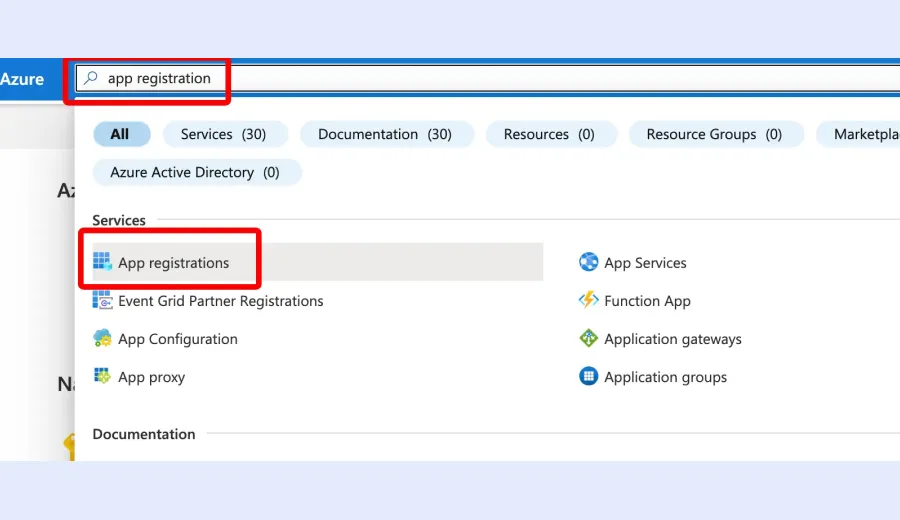
Log in to your Azure account
Navigate to portal.azure.com and sign in.
2
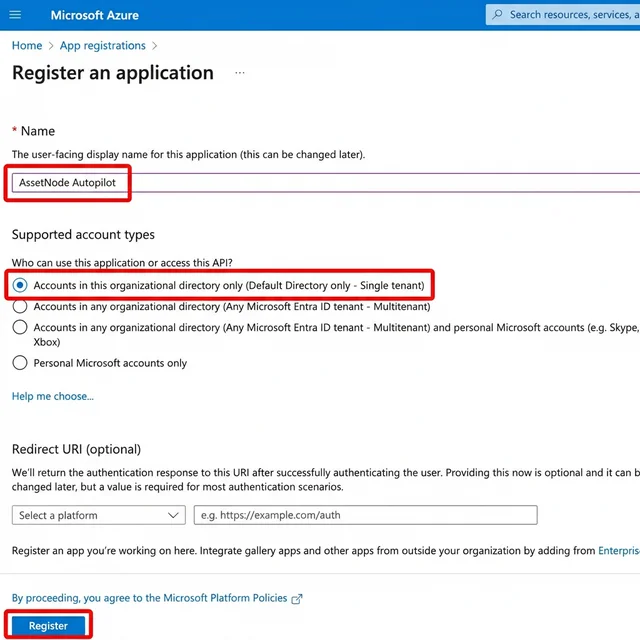
Register a new application
Go to App registrations → New registration.
3
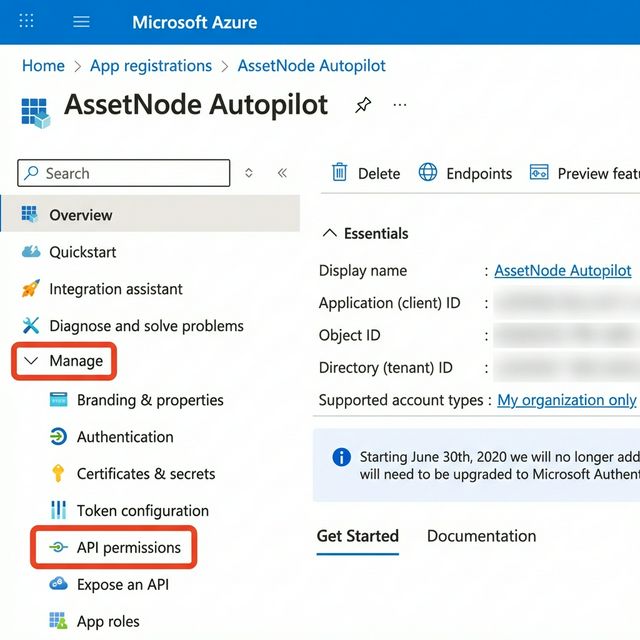
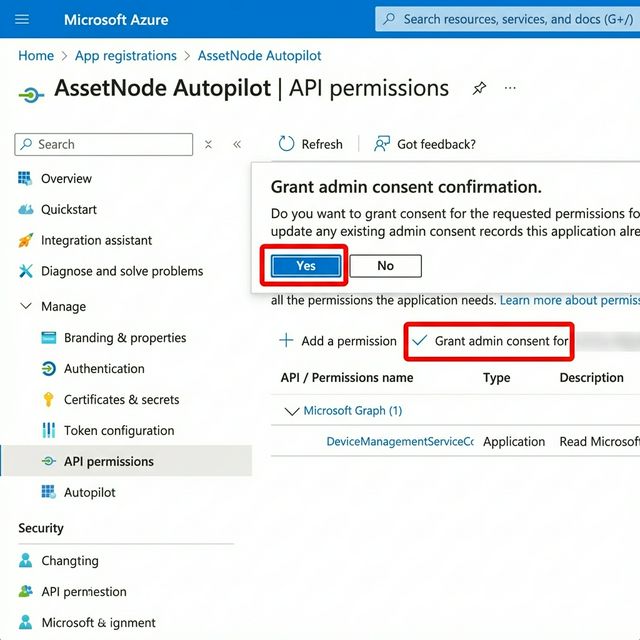
Set up API permissions
Add DeviceManagementServiceConfig.Read.All.
4
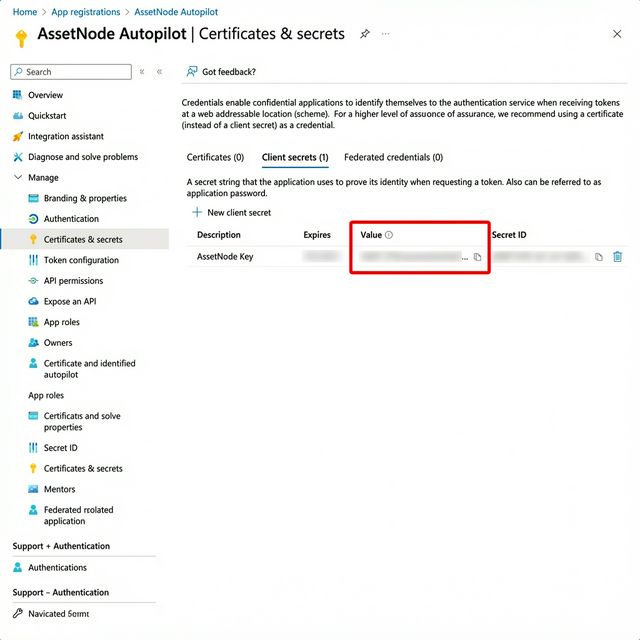
Create a client secret
Go to Certificates & secrets → New client secret.
5
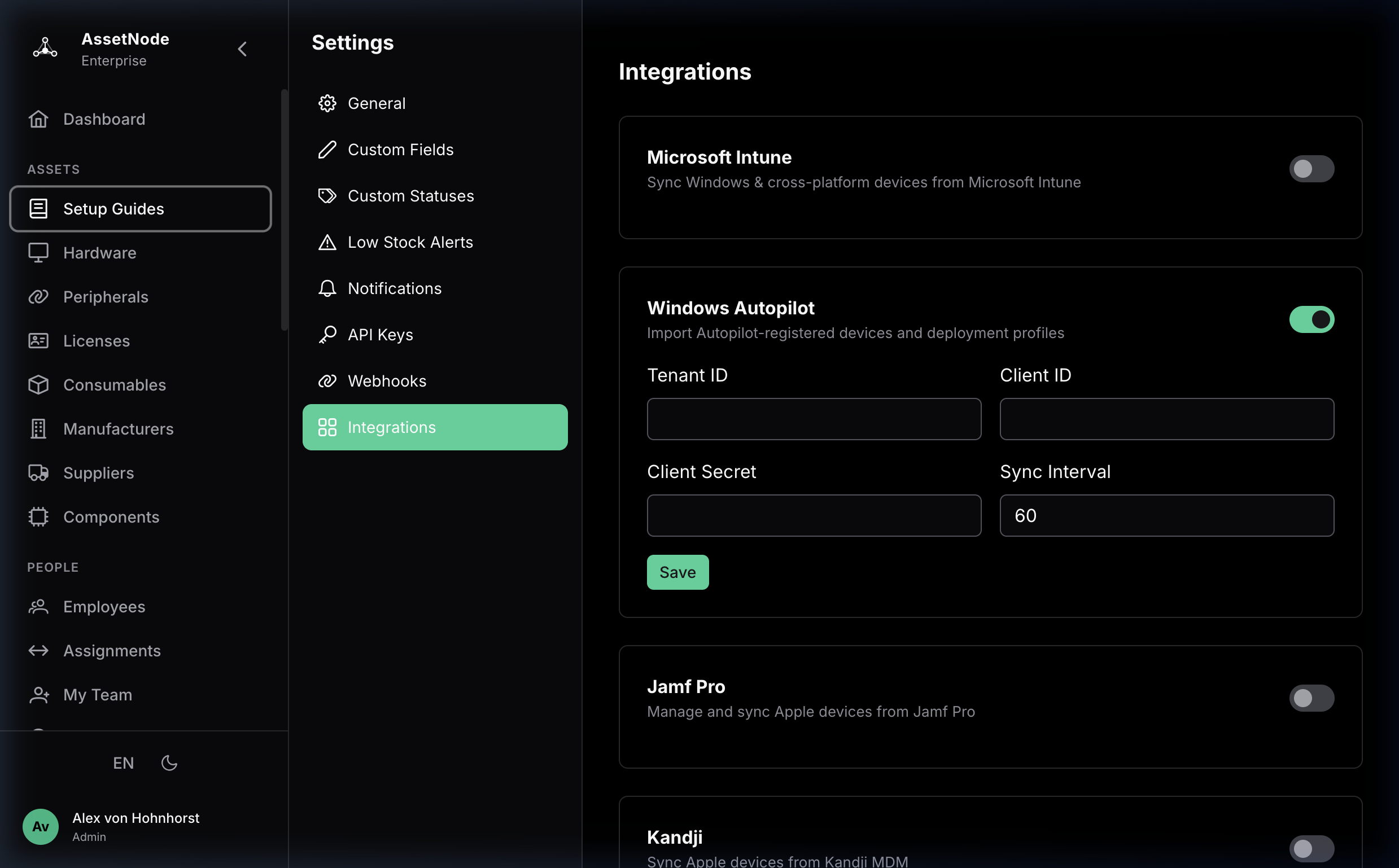
Enter credentials in AssetNode
Go to AssetNode Settings → Autopilot section.
6
Verify the integration
Verify that Autopilot devices appear in your asset list.
After completing setup
- The first transfer takes approximately 10 minutes.
- All new Autopilot devices will be automatically added as assets.