MDM Integration
Jamf School Integration
Automatically add devices from Jamf School into AssetNode as assets.
Syncs every ~10 minutes
Setup guide (5 steps)
1
Log in to your Jamf School account
Navigate to your Jamf School portal.
2
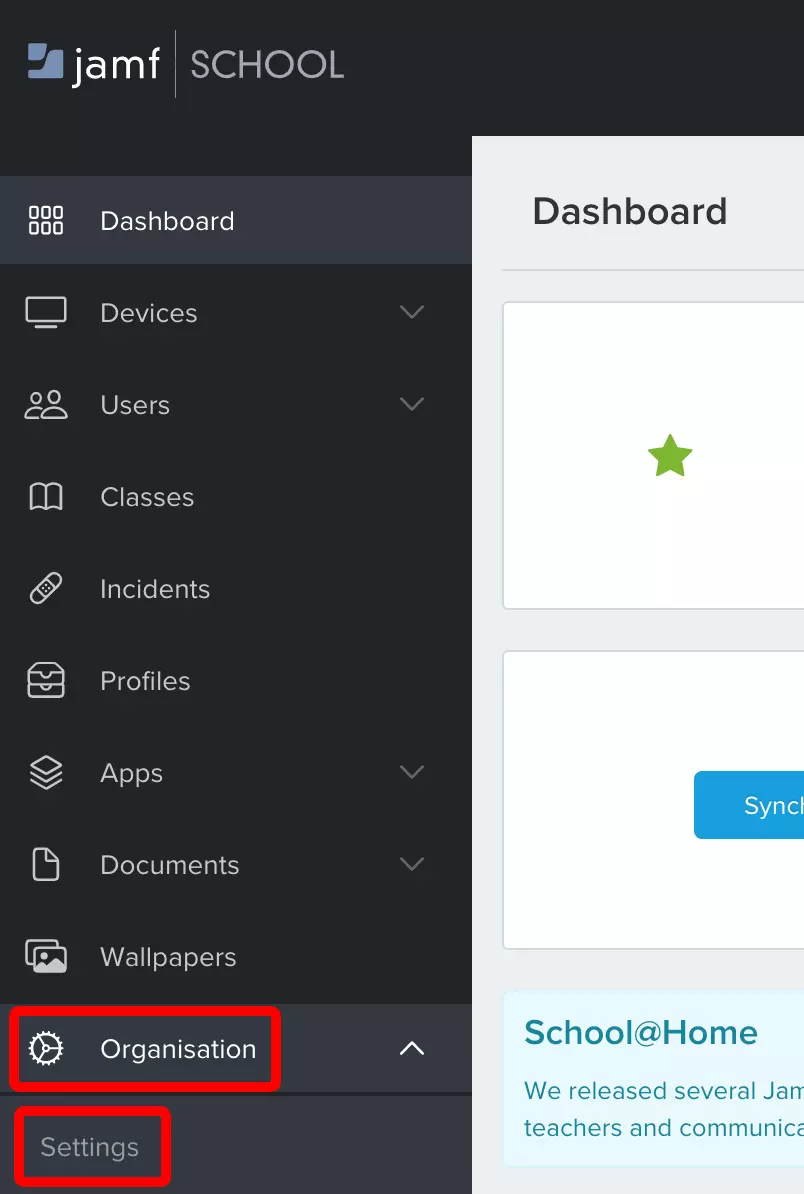
Navigate to Organization Settings
Go to Organisation → Settings.
3
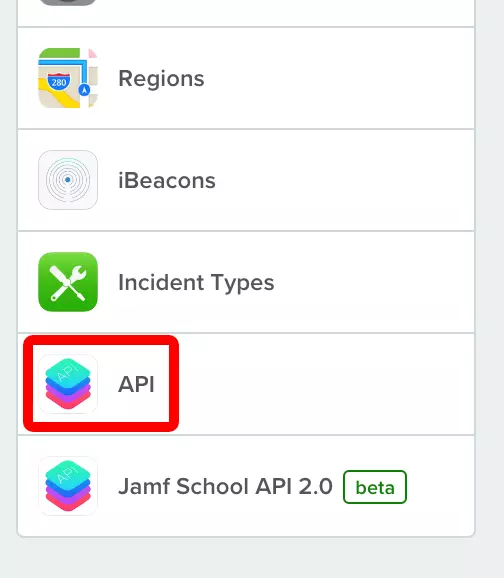
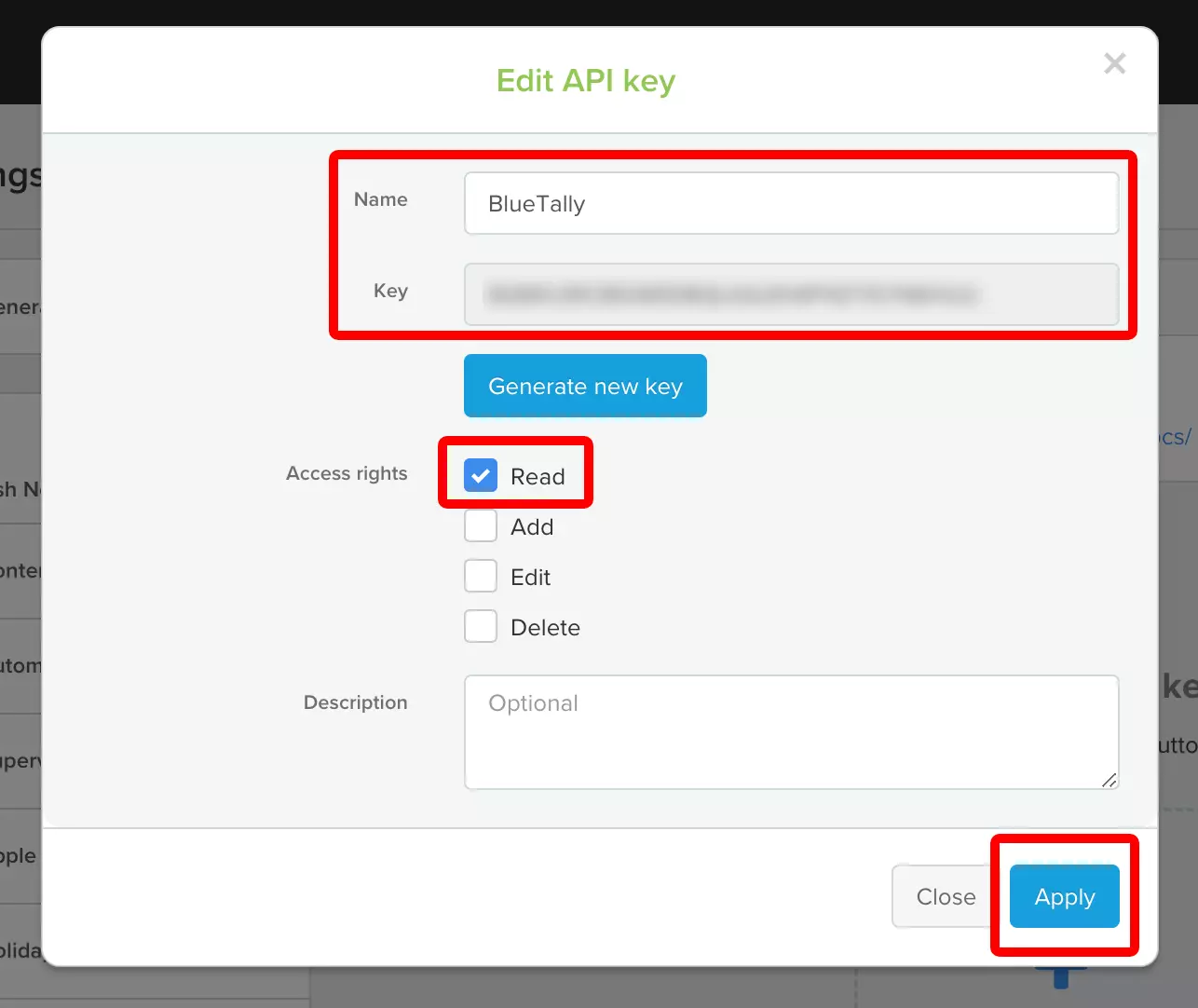
Create an API key
Click "Add API Key" and name it "AssetNode".
4
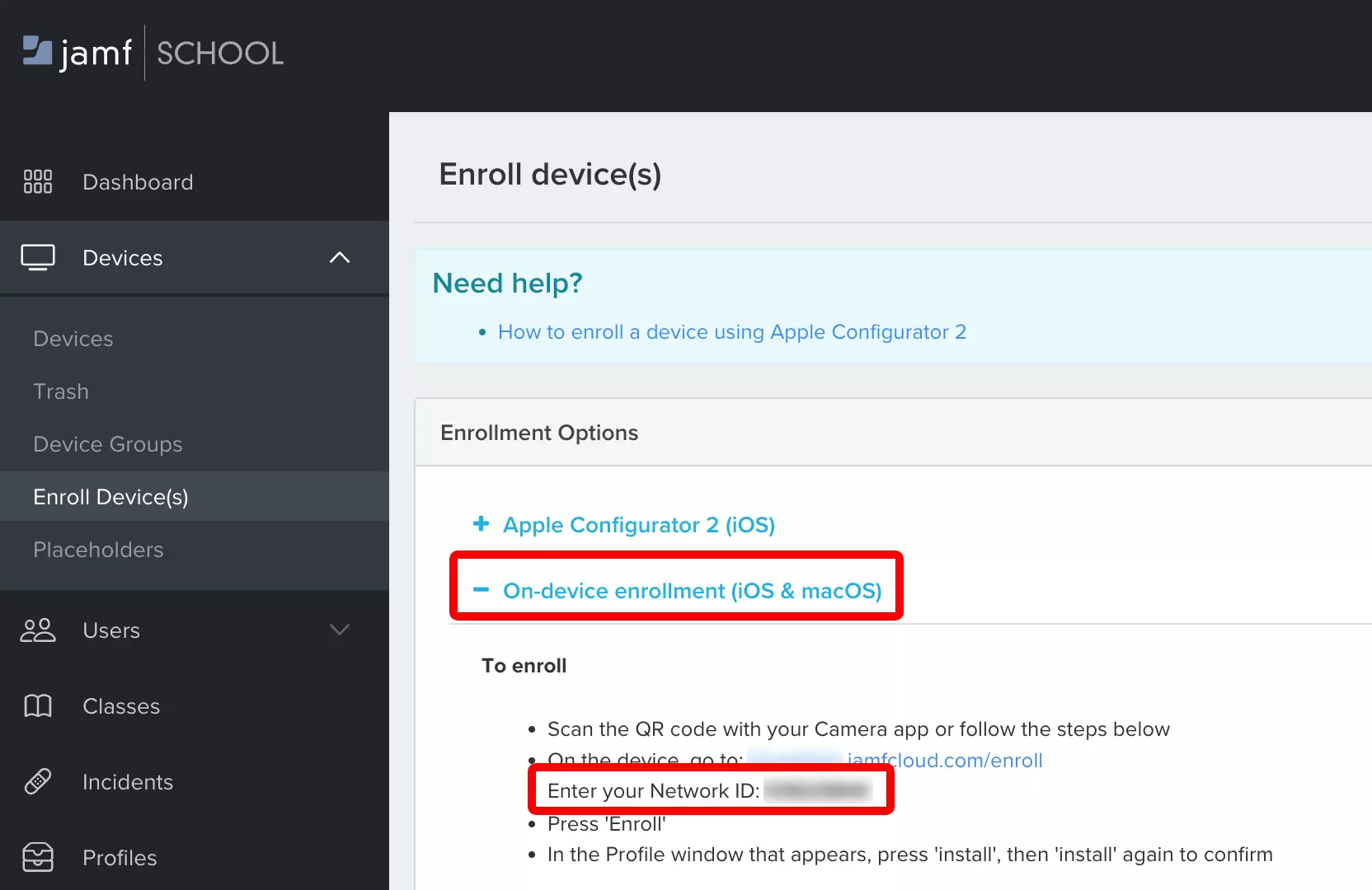
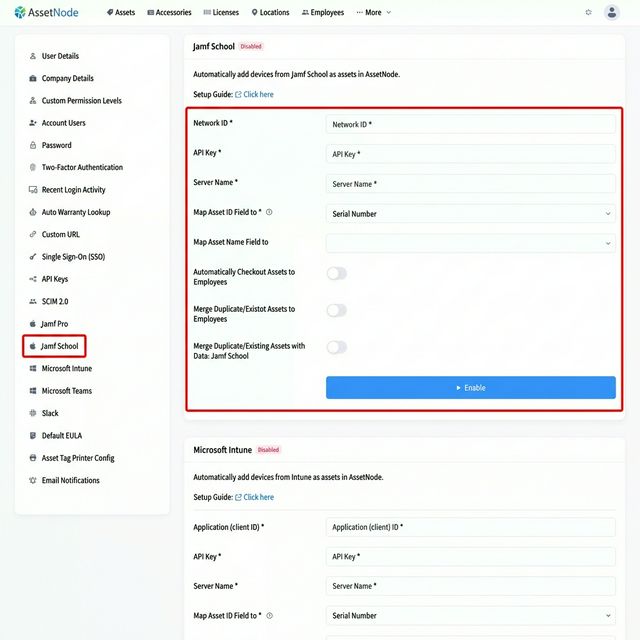
Enter credentials in AssetNode
Go to AssetNode Settings → Jamf School section.
5
Save and verify
Click Save and Enable.
After completing setup
- The first transfer takes approximately 10 minutes.
- New devices added to Jamf School will automatically be added as assets.